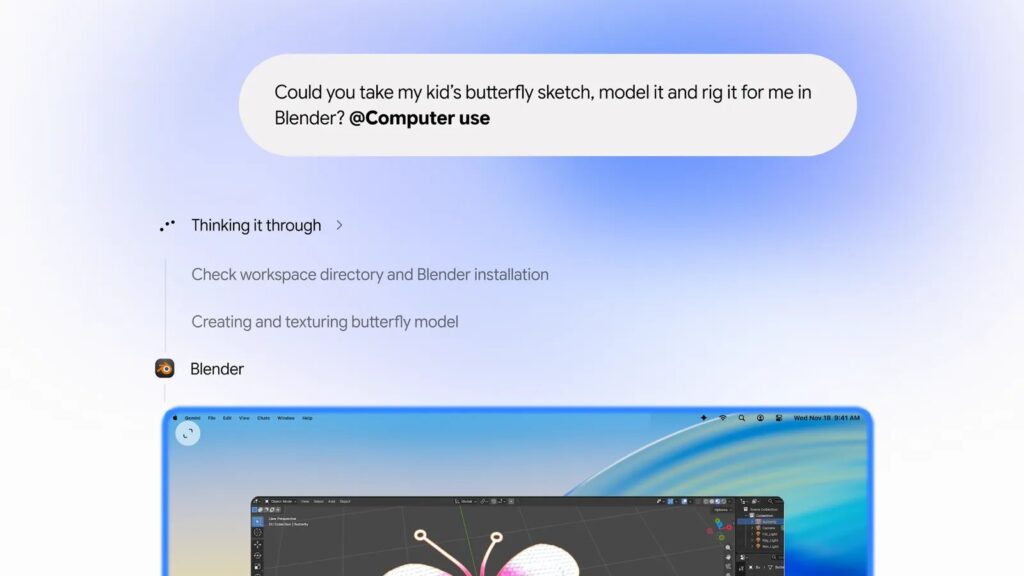
Google has introduced computer use for Gemini on Mac, allowing the assistant to click, type and fill forms across desktop apps, local files and websites. Malaysian users will have to wait: the initial rollout is in English in the United States, with no Malaysian availability date announced.
An assistant that works across apps
Announced on 19 November, the feature handles workflows that would otherwise require repeated manual steps. Google’s examples include extracting parcel details from PDFs for shipping quotes, preparing presentations from dashboards and processing batches of photos.
Gemini performs these tasks in an isolated background window, with a live preview in the chat. The main screen and cursor remain available for the user’s own work.
Who can use it?
The rollout covers Google AI Plus, Pro and Ultra subscribers aged 18 or above using personal Google accounts in the US. Hardware requirements include an Apple Silicon Mac running macOS Sequoia 15.0 or later.
Having a compatible M-series Mac or downloading the Gemini Mac app does not, by itself, make the computer-use feature available in Malaysia.
Permissions and control
Users choose which apps Gemini can access, can monitor the preview and can stop a task. Google’s release notes say Gemini pauses for logins or payments and may request confirmation before sensitive actions.
The feature is intended to help with multi-step work across apps and websites. Google’s demonstrations should be understood as examples of supported workflows, rather than a guarantee that every task will complete successfully.
Source: MDROID’s original Chinese report. Availability and requirements checked against Google’s announcement and Gemini release notes.